How To get Airplay For Your Music

Getting your tracks played on Affinity Radio, in fact any radio station will play a role in promoting you and your music. It’s vital to approach radio stations in the right way so you increase the possibility of having your work played. Airplay can be difficult to secure, but if you follow the details in this Blog it may help you get there.
Preparation
- You need to make your presentation of material and music files in a professional manner. Some stations require submissions to be in a particular format. Refer to the individual station websites to see if this is required. Generally, digital and emailable material is the preferred manner these days.
- Compile a press pack which includes your profile (CV) and either links to your tracks you are submitting (Bandcamp, your website, etc) or send mp3/Wma files. Suggestion: make sure the title of these files are named properly to identify, usually "Artist Name" - "Title" this makes it easier for the presenters to identify your tracks and may put you above others who are just lazy and call them (example) "trk01 202218", get my drift!
- Do your homework on the station you hope will play your music, as an example you would send a rock track to Affinity radio, referencing one of our rock shows. Even better, add the name(s) of the specific presenters (more brownie points here).
- Make sure not to blanket all stations you will possibly end up in the trash bin.
- Make sure you have an online presence, website, FaceBook page, Twitter..etc we know it's a pain but anything that gives you a plug is worth having

- Keep the above updated as this again helps search engines find you, and maybe your prospective DJ, Radio Producer or Program Controller?
- YouTube? Always a good way to show what you can do.
- Live gigs again, share on social media, maybe even invite the station personel to a gig!

Target The Right Stations

Whilst we all would love our music played on national radio, this can be difficult. Dont expect instant results. Be patient and don't pester stations as again you will
end up in the dreaded trash can. Just remember you are one of hundreds or maybe thousands of artists all trying this.
end up in the dreaded trash can. Just remember you are one of hundreds or maybe thousands of artists all trying this.
- Start off with your local radio stations as these will not be swamped by music submissions
- Contact genre specific radio stations that fits your style
- Take the time to listen to the presenters, note their names, pick a few you think your music will appeal to and contact them if you can.
Patience and Perseverence
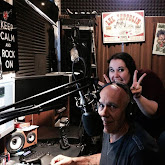
Getting your music played on the radio isn’t easy. Make sure you’re targeting stations that are suitable for your music and the stage you are at in your music career.
Be realistic, persistent and most of all, make (and present) music that will grab the attention of DJ's and Program Managers.
I wish you the best of luck on your journey to sucess.


